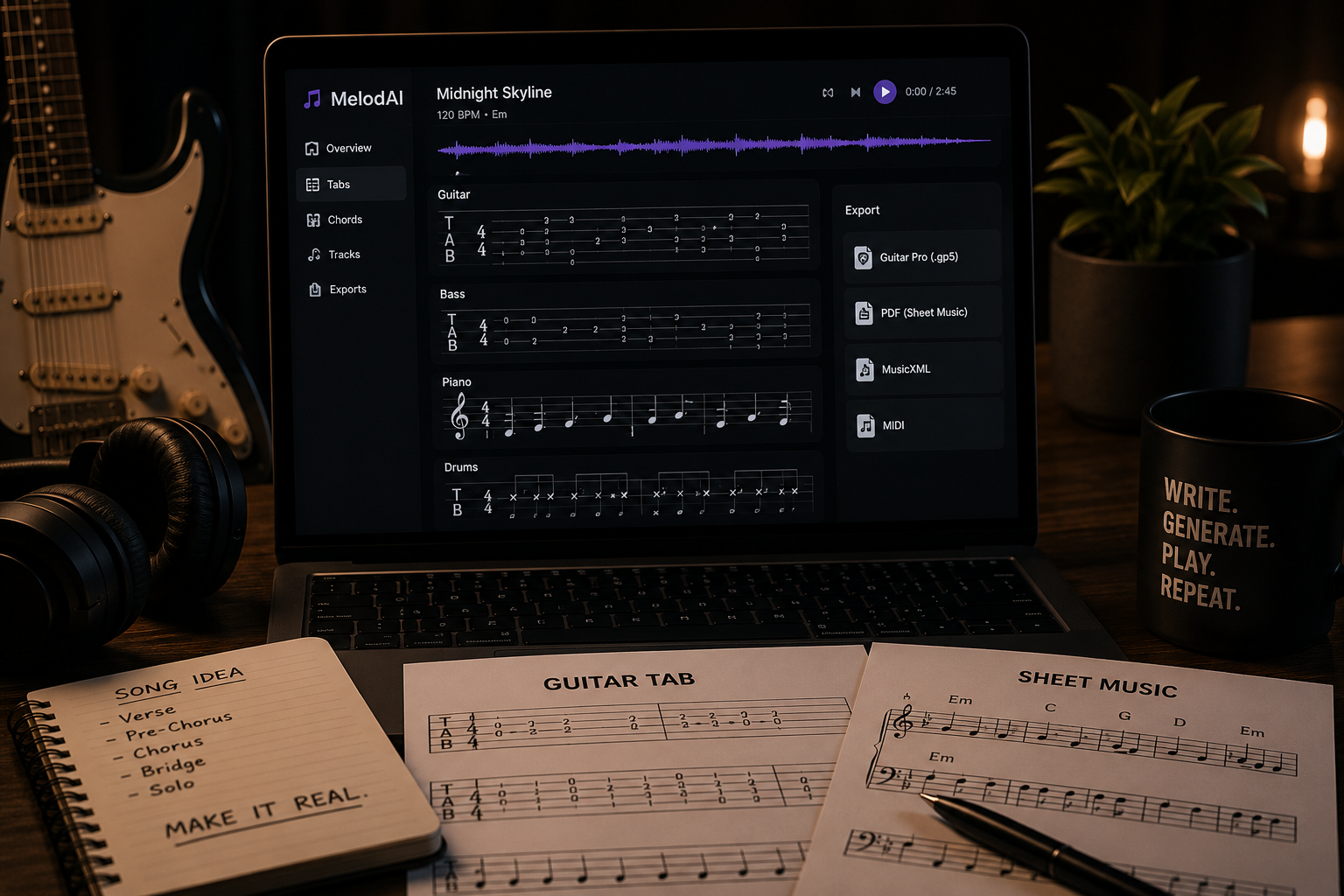
AI Music Generator With Guitar Tabs and Sheet Music Export: How It Works
You generate a track with AI, it sounds good, and then you hit a wall: there's no way to actually play it. No tab, no chart, no MIDI to drop into your DAW. You're stuck re-learning your own song by ear, which defeats the point of using AI to move fast in the first place.
MelodAI fixes that by treating tabs as a first-class output, not an afterthought. Describe a song, get the full track in under a minute, and get guitar, bass, piano, and drum tabs transcribed automatically from the same generation. Export as .gp5, PDF, MusicXML, or MIDI and take it straight into Guitar Pro, MuseScore, or your rehearsal space. No competitor in this space ships tabs — that's the whole reason this post exists.
Why an ai music generator with guitar tabs and sheet music export actually matters
Suno and Udio generate audio. That's useful if you're making background music or a demo you'll never touch again. But if you're a working musician, a teacher, a session player, or a band that needs to actually perform what the AI wrote, audio alone is a dead end. You need notation you can read, edit, and hand to another player.
MelodAI's transcription engine analyzes the generated stems and produces playable tab for each instrument, not just a rough MIDI dump. That means real fret positions, correct string assignments, and rhythm notation that matches what's actually in the mix. You can open the .gp5 file, mute the drums, slow the tempo, and practice the guitar part like you would with any tab you'd pull off a tab site — except this one didn't exist five minutes ago.
Type a prompt — genre, mood, instrumentation, language. 400+ genres and 7 languages supported.
Full mixed track produced in under 60 seconds, ready to preview and iterate on.
Guitar, bass, piano, and drum parts transcribed from the actual audio automatically.
Download .gp5, PDF, MusicXML, or MIDI. Open in Guitar Pro, print the chart, or import to your DAW.

Auto-transcribed guitar tab from the track above, exported directly to .gp5
This matters most in the moments where speed and accuracy both count. A worship band needs a chart for Sunday. A guitar teacher needs a new example for a lesson tonight. A songwriter needs to hand a session bassist something readable before a Tuesday session. In every one of these cases, an audio file alone doesn't move the work forward — a tab does.
What you can actually export
- Guitar Pro (.gp5) — full multi-track tab with tempo, tuning, and technique markings, editable in Guitar Pro or TuxGuitar
- PDF sheet music — print-ready standard notation for piano, guitar, or full band charts
- MusicXML — import into MuseScore, Sibelius, or Finale for further arranging
- MIDI — drop straight into Ableton, Logic, or FL Studio for production work
| Feature | MelodAI | Suno / Udio |
|---|---|---|
| AI audio generation | ✓ | ✓ |
| Guitar/bass/piano/drum tabs | ✓ | ✗ |
| Guitar Pro (.gp5) export | ✓ | ✗ |
| PDF sheet music export | ✓ | ✗ |
| MusicXML export | ✓ | ✗ |
| Royalty-free commercial license | ✓ (paid plans) | Varies |
| Genres supported | 400+ | Limited by model |
Who this is built for
Session musicians use MelodAI to spin up quick reference tracks with tab already attached, cutting out the transcription step entirely before a paid gig. Guitar teachers generate custom backing tracks in any genre and get a printable chart for the student in the same workflow. Bedroom producers use the MIDI export to pull melodic and rhythmic ideas straight into their DAW without touching a plugin. Cover bands use it to quickly sketch arrangements in a new key or tempo and get a chart the whole band can read from immediately.
From prompt to playable tab in under a minute.
Audio, .gp5, PDF, MusicXML, and MIDI — every export generated from the same song.
None of this requires you to know music theory going in. If you can describe a feel — "driving 90s alt-rock, drop D, palm-muted verses" — MelodAI generates the track and hands you notation accurate enough to actually rehearse from. You're not reverse-engineering an AI's audio output by ear; you're reading it like sheet music, because it is sheet music.
Generate your first track with tabs included
Describe the song. Get audio, guitar tab, and sheet music export in one pass — no separate transcription step.
Start Generating Free