
MelodAI vs Suno vs Udio: Comparison of Tabs, Features, and Exports
You generate a track in Suno or Udio, it sounds decent, and then you hit a wall: there's no way to actually play it. No chart, no chords, no tab. If you're a musician and not just a passive listener, that gap is the whole ballgame. This post breaks down where MelodAI, Suno, and Udio actually differ on the things that matter to people who write, record, and perform music for a living.
MelodAI vs Suno vs Udio: The Core Difference
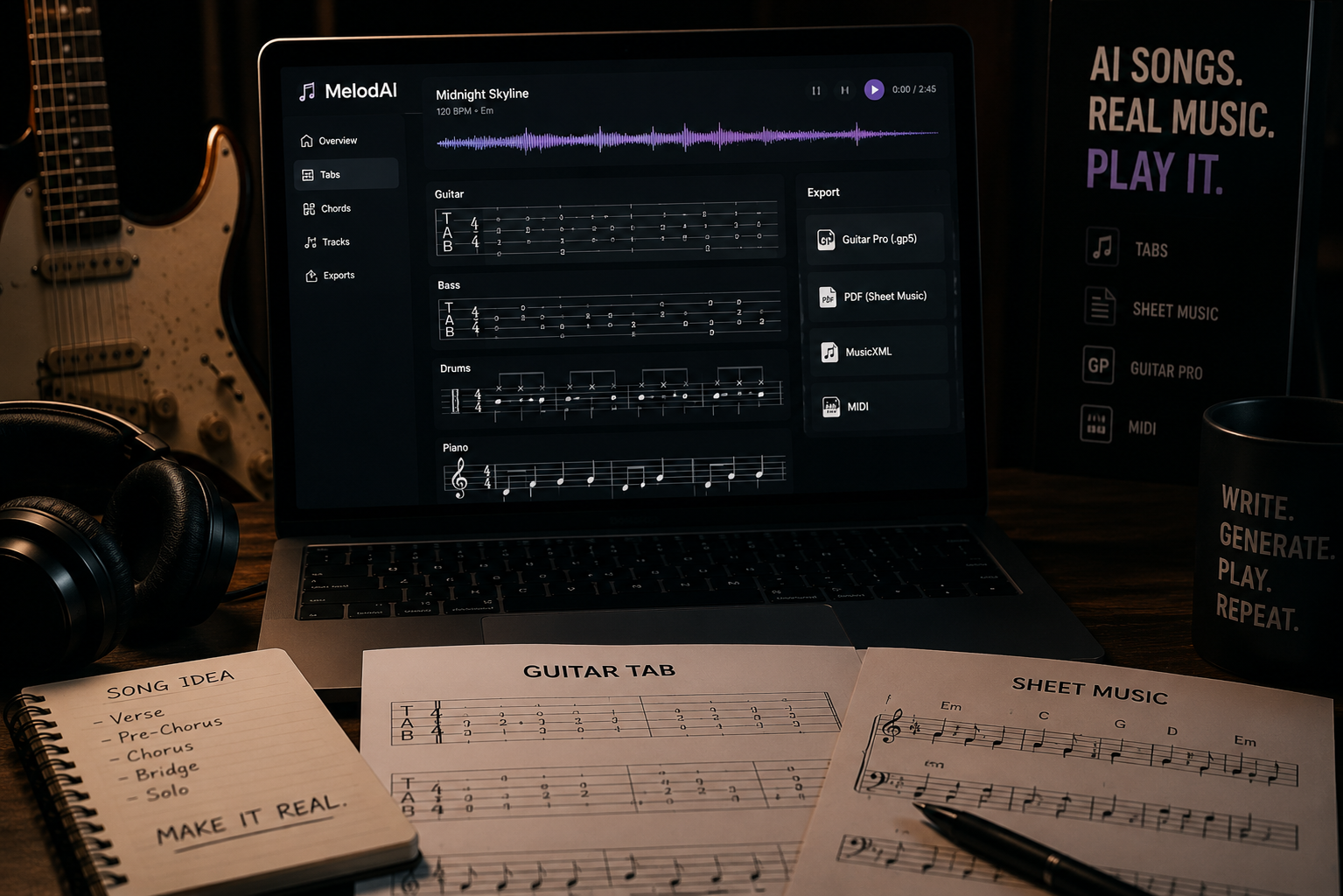
Suno and Udio are audio generators. You type a prompt, you get a finished song, and that's the end of the pipeline. MelodAI generates the same kind of finished track in under a minute, but it doesn't stop at audio — it automatically transcribes the song into guitar, bass, piano, and drum tabs. That single step turns an AI-generated idea into something a band can actually rehearse, a student can practice, or a session player can read off a stand.
| Feature | MelodAI | Suno / Udio |
|---|---|---|
| Audio generation under 60 seconds | ✓ | ✓ |
| Guitar/bass/piano/drum tab transcription | ✓ | ✗ |
| Guitar Pro (.gp5) export | ✓ | ✗ |
| PDF sheet music export | ✓ | ✗ |
| MusicXML export | ✓ | ✗ |
| MIDI export | ✓ | Limited |
| Royalty-free commercial license (paid plans) | ✓ | Varies by tier |
| Language support | 7 languages | Varies |
| Genre coverage | 400+ | Broad, unspecified |
Why Tabs Change Everything for Musicians
An AI-generated song without notation is a demo you can only listen to. The moment you have a Guitar Pro file, you can loop a riff at 60% speed, change the tuning, isolate the bass line, or hand the chart to a drummer who's never heard the track. This is the difference between MelodAI being a music generator and being an actual songwriting tool. Suno and Udio can help you find an idea; MelodAI helps you finish it and play it.

Full tab with fretting, techniques, and tuning, ready to open in Guitar Pro or TuxGuitar.
Standard notation for reading musicians, teachers, and print.
Import into Sibelius, Finale, MuseScore, or any notation software you already use.
Drop the arrangement straight into your DAW for editing, sampling, or rescoring.
Licensing and Commercial Use Compared
If you plan to release what you generate, licensing terms matter more than any feature list. MelodAI's paid plans include a royalty-free commercial license, meaning tracks you generate can go on streaming platforms, in client work, or in sync licensing deals without a second contract. Suno and Udio have their own commercial tiers, but terms have shifted over time and vary by plan, so you need to re-check the fine print before every release. Read the current terms of service on any platform before publishing, but know that MelodAI's licensing is built around musicians shipping finished, playable work.
- MelodAI: royalty-free commercial license included on paid plans, tabs and audio covered together
- Suno: commercial rights tied to specific paid tiers, subject to change
- Udio: commercial rights tied to specific paid tiers, subject to change
- Only MelodAI bundles a license that covers both the audio output and the transcribed notation
Genre and Language Coverage
MelodAI covers 400+ genres and generates in 7 languages, which matters if you're writing for a specific market or blending styles that don't usually get AI music tool support — think flamenco guitar over trap drums, or a Japanese city pop vocal with a jazz bass line. Suno and Udio both handle broad genre ranges well for pure listening, but neither breaks that output down into an instrument-by-instrument chart you can hand to a band. Genre breadth without playable output is still just a demo. Genre breadth with tabs is a rehearsal-ready arrangement.
One prompt. A finished song and a full tab in the same export.
Audio, guitar, bass, piano, and drums — transcribed automatically, every time.
Workflow: From Prompt to Playable Tab
- Describe the song: genre, mood, instrumentation, language, tempo
- MelodAI generates the full track in under 60 seconds
- The engine transcribes guitar, bass, piano, and drums automatically
- Export as .gp5, PDF, MusicXML, or MIDI
- Open in Guitar Pro, MuseScore, or your DAW and start playing or editing
Auto-generated guitar tab, exported directly from a MelodAI track.
Which Platform Should You Actually Use
If all you need is background audio for a video or a quick mood reference, Suno or Udio will get you there. If you're a musician, teacher, band leader, or content creator who needs a track that translates into an actual chart, MelodAI is built for that exact workflow. The tab transcription isn't a bolt-on feature — it's the reason the platform exists. Try generating the same idea in all three and compare what you can actually do with the output five minutes later.
Generate a song and get the tabs in the same click
Free plan available. No credit card required to start.
Start Creating Free