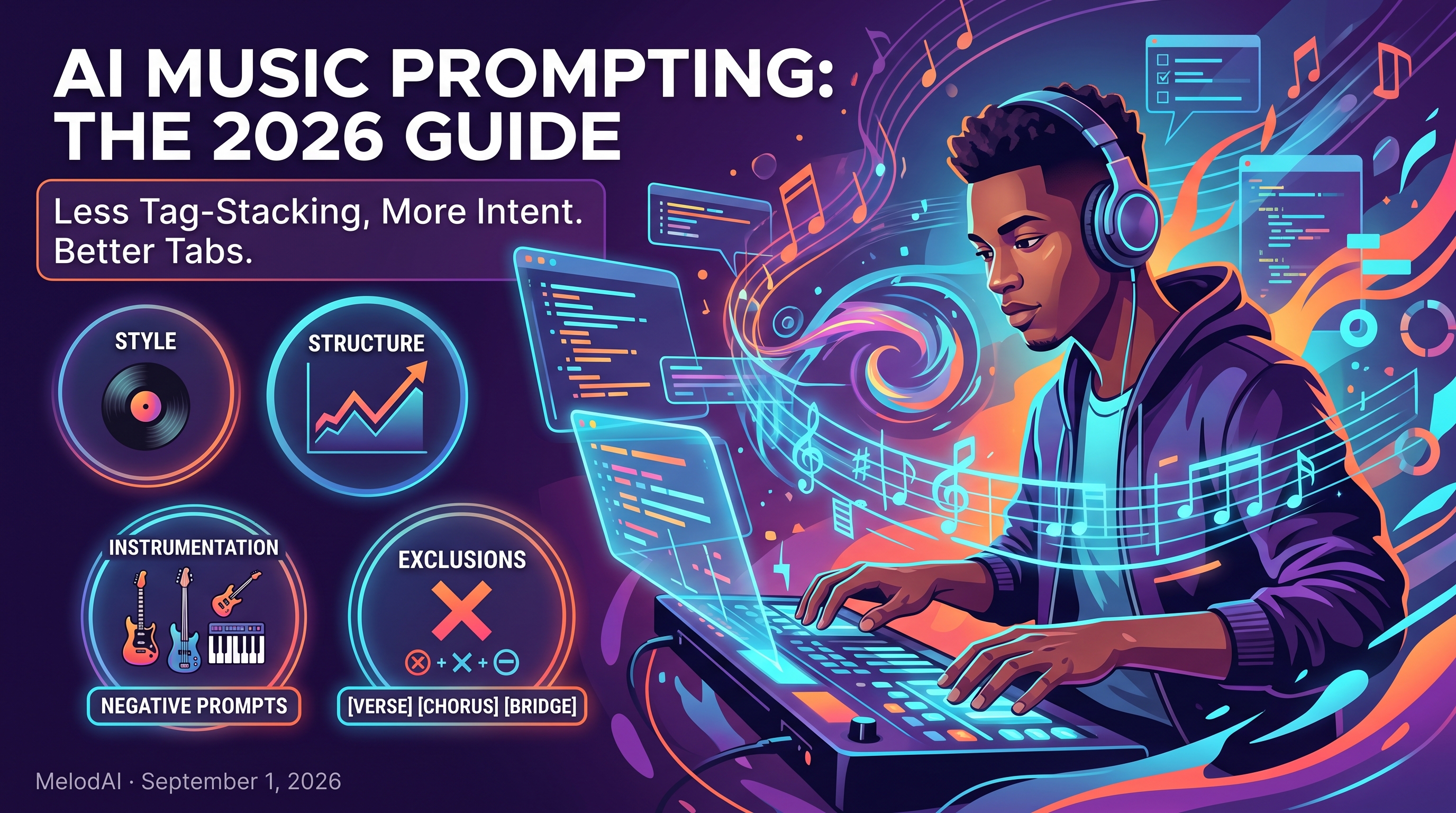
How to Prompt AI for Better Music: What Actually Works in 2026
Here's the misconception: more tags equal a better song. Musicians open Suno or Udio, stack ten adjectives into the style field — moody, upbeat, cinematic, lo-fi, aggressive, dreamy — and treat the prompt box like a wishlist. Then they wonder why the output sounds like generic elevator music with no identity. The truth is the opposite: the platforms themselves have moved away from rewarding tag-stacking, and the musicians getting usable results are the ones who figured that out first.
Myth 1: More Tags Always Win
Tag-stacking was a workaround for older, less capable models that needed keyword crutches to find a direction. That era is closing. Guides tracking Suno's model changes point out that the checklist approach of genre, mood, instrument tags separated by commas increasingly produces mediocre, homogenized output on newer models. <cite index="7-7,7-8,7-9">Tag spam died as prompting in Suno V4.5 evolved, and musicians still using the old genre, mood, instrument checklist from V3.5 or V4.0 got mediocre outputs.</cite> The models now parse intent, not just keyword density.
Suno's own September 2025 shift backs this up directly. <cite index="1-1,1-2">Where V4.5 relied on a prompt enhancement helper with good adherence to basic genre and mood tags, V5 responds to more nuanced, detailed prompts, with primary structural control shifting to the editor.</cite> Translation: the platform is explicitly rewarding descriptive scene-setting over keyword lists. If your prompting habit hasn't changed since 2024, your outputs are quietly getting worse relative to what's possible.
Myth 2: Negative Prompts Are Optional
Musicians spend all their effort on what they want and none on what they don't, then get frustrated when a ballad prompt returns a trap hi-hat pattern anyway. Both major platforms treat exclusions as a first-class part of the prompt, not an afterthought. <cite index="6-6">One documented technique is using negative tags to exclude unwanted elements — for example, specifying a pop song with piano, no heavy drums, no electronic sounds, no rap.</cite> Udio's guidance is nearly identical: <cite index="8-18,8-19">add negatives to exclude overused styles, instruments, or influences, such as including phrases like no guitars or exclude heavy drums to refine the output.</cite>
Myth 3: One Giant Paragraph Beats Structured Fields
There's a temptation to write a novel in the prompt box, hoping enough context will steer the model. Documentation on newer Suno versions says the opposite: separate fields, used for their specific purpose, produce more reliable results than one dense block of text. <cite index="7-3">Keeping fields separate and purposeful is what rewards you with higher fidelity output.</cite> Style descriptions belong in the style field, structural cues belong in bracketed meta-tags, and lyrics belong in the lyrics box — mixing all three into one paragraph confuses which instruction applies where.
- Style field: genre, era, and production reference (not a mood word salad)
- Structure tags: [Verse], [Chorus], [Bridge], [Instrumental Break] to control arrangement
- Lyrics field: only the words you want sung, nothing else
- Negative prompt or exclusions: what to keep out, stated as plainly as what to keep in
Myth 4: Longer Prompts Are Always More Precise
Precision and length aren't the same thing. A widely referenced Suno prompting formula boils the whole exercise down to five components — style, mood, tempo, instruments, scene — and explicitly caps it. <cite index="6-6">The guidance is to keep it under 50 words, since too much information makes it hard for the model to focus.</cite> Udio's community documentation lands on a similar principle from the other direction, noting that a few clear details do more work than a long, messy sentence and that Udio rewards clarity over volume.
Udio also exposes this as an actual slider, not just a style preference. <cite index="8-4,8-5,8-6">Prompt Strength controls how closely the model adheres to your song description, and the recommendation for a detailed, diverse prompt is to set it to 100 percent, since a strong prompt eliminates overfitting artifacts and keeps the output matching your vision.</cite> Meanwhile <cite index="8-7,8-8,8-9">Lyric Strength adjusts adherence to your lyrics specifically, and the recommendation is to set it to 0 percent and focus on the prompt instead, which produces more natural-sounding vocals with better integration into the music.</cite> That's a direct, documented example of more control coming from doing less, not more.
Tag-stacking + vivid descriptions = a Suno track that slaps.
A Prompt Formula That Actually Holds Up
Skip vague moods. Say 'late-90s trip-hop' or 'Nashville outlaw country,' not just 'chill' or 'sad.'
Use [Verse], [Chorus], [Bridge] tags so the model knows where dynamics should shift, instead of guessing.
Specify guitar, upright bass, or Rhodes piano directly — this also determines what gets transcribed cleanly later.
No heavy drums, no autotune, no rap cadence — negative constraints prevent generic filler from creeping in.

Why Prompt Precision Matters More When Tabs Are on the Line
Most AI music guides stop at getting a good-sounding audio file. That's not enough if you're a working musician who needs to actually play the part. MelodAI transcribes every generation into guitar, bass, piano, and drum tabs automatically, which means the instrumentation you name in your prompt isn't just a vibe descriptor — it's the difference between a clean, playable Guitar Pro file and a tangled transcription full of guessed notes. Naming the lead instrument, key details, and structure explicitly gives the transcription engine something concrete to map, instead of inferring an arrangement from a vague mood prompt.
This is also why the negative-prompt discipline matters more on MelodAI than on audio-only platforms. If you don't exclude instruments you don't want, they show up in the mix — and then they show up in the tab export too, cluttering a chart with parts you'll never play. Tight prompting isn't just about better-sounding output anymore; it's about getting a tab you can hand to a bandmate without cleanup.
| Feature | MelodAI | Suno / Udio |
|---|---|---|
| Prompt-to-audio generation | ✓ | ✓ |
| Auto guitar/bass/piano/drum tabs | ✓ | ✗ |
| Export as .gp5 | ✓ | ✗ |
| Export as PDF sheet music | ✓ | ✗ |
| Export as MusicXML / MIDI | ✓ | Partial (MIDI only, some plans) |
| Royalty-free commercial license on paid plans | ✓ | Varies by plan |
Prompt it. Hear it. Play it.
Generate a song from a text prompt and get the audio plus playable guitar, bass, piano, and drum tabs in one pass.
Start creating free