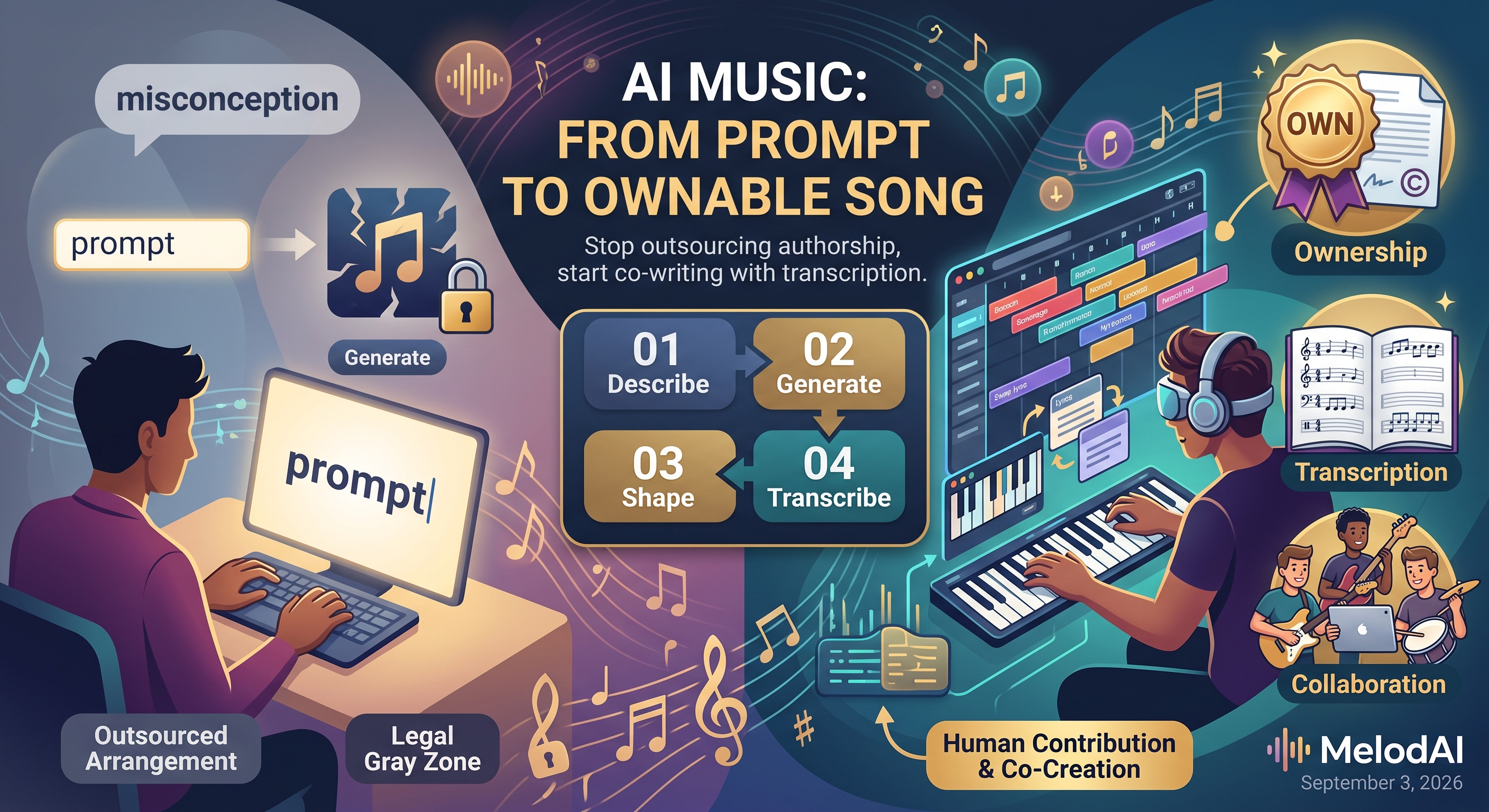
How to Write a Song With AI: The Misconception That's Costing You Time and Rights
Here's the misconception: type a description into an AI music tool, hit generate, and you've written a song. That's not writing a song. That's generating an audio file. The gap between those two things is where most people get burned, either because the track they made isn't legally theirs, or because it's an MP3 that no other musician on earth can play with them. Writing a song with AI is a process with several steps most tutorials skip entirely.
Misconception 1: Prompting Is the Same as Songwriting
A text prompt tells an AI model what to generate. It does not give you control over the internal decisions that make a song a song: where the bridge lands, how the pre-chorus resolves, which instrument carries the hook. Even the most popular tools are upfront about this limit.
No fine control over song structure beyond text prompts and section labels.
That's a documented limitation of Suno as of mid-2026, not a knock on the tool. It means the prompt gets you a first draft, not a finished composition. If you stop at generation, you've outsourced the arrangement to a black box and have no way to go back in and adjust the parts that don't work. Writing the song means treating that output as raw material, not the final product.
Misconception 2: Generating a Track Means You Own It
This is the one that costs people the most. A lot of creators assume a paid subscription equals ownership, full stop. The U.S. Copyright Office has been explicit that this isn't how it works, and courts have backed that position up.
The Copyright Office's Part 2 report on copyrightability, published in January 2025, reiterated that <cite index="13-5">works entirely generated by AI are not copyrightable</cite>, and that <cite index="13-7">where a work includes both human and AI-generated content, only the human contributions are potentially copyrightable</cite>. A federal appeals court reinforced the same principle two months later. Congressional research summarizing the current legal posture puts it bluntly: <cite index="12-1">prompts alone do not provide sufficient human control to make users of an AI system the authors of the output</cite>.
In practice, that means the more you shape a track after generation, rewriting sections, arranging instrumentation, editing lyrics, the stronger your claim to authorship. A song you leave untouched after one prompt sits in a legal gray zone. A song you've reworked, transcribed, and rearranged looks like something you actually made.
Misconception 3: An Audio File Is a Finished Song
Even setting ownership aside, an MP3 or WAV is only half a song if you play in a band, teach guitar, or work with session musicians. Nobody can read an audio waveform. Nobody can hand a drummer a streaming link and expect a tight take on the first run-through. A song isn't fully written until it exists in a form another musician can interpret.
This is the step almost every AI music platform skips entirely, and it's also where the licensing landscape gets messier by the month. Udio disabled downloads and stems for users after its settlement with major labels, turning it into a streaming-only tool you can't actually export from. Suno's free tier gives you roughly ten songs a day but strips commercial rights entirely, so even a finished-sounding track can't legally go anywhere until you upgrade. None of that touches the bigger problem: even on a paid plan, you still just have audio.
| Feature | MelodAI | Suno / Udio |
|---|---|---|
| Generates full songs from text prompt | ✓ | ✓ |
| Auto-transcribes to guitar/bass/piano/drum tabs | ✓ | ✗ |
| Exports .gp5, PDF, MusicXML, MIDI | ✓ | ✗ |
| Royalty-free commercial license (paid plans) | ✓ | Varies by platform and settlement |
| Playable by a band from day one | ✓ | Requires manual transcription |
What Actually Writing a Song With AI Looks Like
Correcting the misconception means treating AI generation as step one of four, not the whole process. Here's the workflow that produces something you actually own and can use.
Describe genre, tempo, mood, and structure explicitly. Vague prompts produce vague songs you'll spend more time fixing than writing.
MelodAI renders a full arrangement across 400+ genres and 7 languages in under 60 seconds. Treat this as your first draft, not your final master.
Rework sections, swap lyrics, adjust structure. This is the human contribution that matters for both the song's quality and your legal claim to it.
MelodAI transcribes the finished track to guitar, bass, piano, and drum notation automatically, no manual ear-training required.

The same generation, exported as Guitar Pro tab your bandmates can open and play.
Every song you generate ships with playable notation.
Guitar, bass, piano, and drum tabs, exported as .gp5, PDF, MusicXML, and MIDI, automatically.
That last step is the one no other major AI music platform does. Suno and Udio will get you audio, and depending on your plan and the current state of their label settlements, maybe a license to use it. Neither converts what you generate into notation a guitarist, bassist, or drummer can read and rehearse from. If your definition of writing a song includes other musicians being able to play it, that gap matters.
Writing a song with AI, done correctly, ends with three things: a track that sounds like what you described, edits substantial enough to support your ownership claim, and a set of parts your collaborators can actually perform. Skip any one of those and you've generated a file, not written a song.
Write the song. Get the tabs. Own the rights.
Generate in under a minute, then export guitar, bass, piano, and drum tabs as .gp5, PDF, MusicXML, and MIDI, with a commercial license on paid plans.
Start writing on MelodAI